
FAQ
General
Section titled “General”Is Dreeve the same app as “Statistics for Strava”?
Yes. Dreeve was formerly called “Statistics for Strava” and was renamed as the app grew beyond Strava into a general dashboard for your sports and fitness data. It’s the same app, by the same maintainer, but the repository moved to dreeveapp/dreeve.
What does “Dreeve” mean?
Dreeve • /driːv/ • noun
A dreeve is the West-Flemish word (the birthplace of Dreeve’s maintainer) for a country road lined with trees
on both sides. The kind of road every cyclist and runner loves.
Importing & activities
Section titled “Importing & activities”Can I use both import modes at once?
No. IMPORT_MODE is either files or stravaApi, you can switch between them though.
Can I import a multi-sport .fit file (triathlon, brick workout)?
No. Dreeve imports one activity per file. A .fit file that contains multiple sport legs (a triathlon
recorded as swim → transition → bike → run, for example) is rejected, the import will fail.
Export each leg as its own file and import those separately. Most platforms let you split a multi-sport activity into its individual activities before exporting.
Why is my activity not visible in the app after uploading it?
Almost always one of three things:
- The import hasn’t run yet. In
filesimport mode the daemon picks up new files every 5 minutes. - It was a duplicate. Dreeve won’t import the same activity twice.
- It failed to parse.
Where do my files go after they’re imported?
They are deleted from watch/. That happens whether the import succeeded, was skipped as a duplicate, or
failed. The raw file data is stored in the database though.
Strava import
Section titled “Strava import”Do I need a Strava account?
No. Dreeve’s default mode is files: you supply .fit, .tcx or .gpx files and everything is parsed
locally. No Strava account, no API application, no keys, no rate limits.
Strava import is fully supported if you want it, see Importing activities.
Why does it take so long to import my data?
This applies to stravaApi mode only. File import has no rate limits.
Running the import for the first time can take a while, depending on how many activities you have on Strava.
Strava’s API has a rate limit of 100 requests per 15 minutes and a 1000 requests per day.
We have to make sure this limit is not exceeded. See https://developers.strava.com/docs/rate-limits/.
The app makes sure there is enough time between requests to not hit the 15-minute limit.
By default, the app imports up to 250 new activities per run.
This limit helps ensure that additional metadata can also be fetched without exceeding the daily API rate limit.
You can adjust this value in the admin panel under Settings → Import, with the Number of new activities to process per import setting. For an initial import where you want to fetch as many activities as possible, set it to 1000. If you hit the daily rate limit, the app will automatically import the remaining activities the next day(s).
Can I sync multiple Strava accounts?
No, the app only supports one Strava account at a time. If you want to use multiple Strava accounts, you will need to run multiple instances of the app, each with its own Strava client ID and secret.
Backup & restore
Section titled “Backup & restore”What do I need to back up?
Only the storage/ directory. That’s it.
It holds the SQLite database (storage/database/dreeve.db) and the images and files the app generates
(storage/files/). Your original .fit, .tcx and .gpx files are stored inside the database, so there is
nothing else to keep separately.
Your docker-compose.yml and .env are configuration, not data, but keeping a copy makes a restore quicker.
How do I make a backup?
Stop the containers, then copy the whole directory:
> docker compose down> tar -czf dreeve-backup-$(date +%F).tar.gz storage/> docker compose up -dHow do I restore a backup?
# Stop the containers> docker compose down
# Replace the storage directory with the one from your backup> rm -rf storage/> tar -xzf dreeve-backup-2026-01-01.tar.gz
# Start again> docker compose up -d
The app reads straight from the restored database, so there is nothing else to run. You do not need to re-import your activities.
Admin panel
Section titled “Admin panel”How do I get to the admin panel?
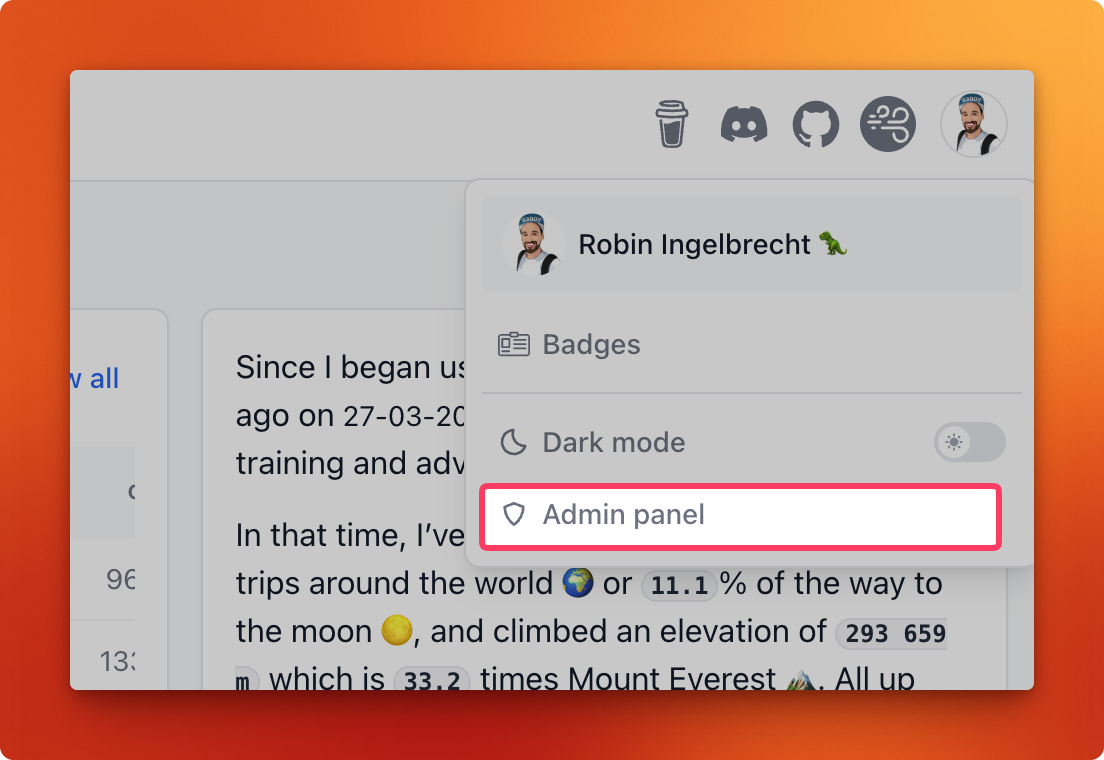
The Admin panel link lives in the frontend app. Click your profile picture in the top-right corner to open the dropdown menu, then choose Admin panel.
I can’t log in to the admin panel
The usual cause is an unescaped $ in ADMIN_PASSWORD_HASH. Docker Compose treats $ as the start of a
variable and silently mangles the hash, so you get a password that can never match. Every $ must be doubled.
See Admin password.