
Strava Webhooks Integration
Dreeve supports Strava webhooks to automatically import your data when new activities are uploaded. This eliminates the need to manually run import commands or set up cron jobs.
When enabled, your app will receive real-time notifications from Strava whenever:
- A new activity is created
- An existing activity is updated
- An activity is deleted
These will trigger an import in the background. It may take a few minutes for all updates to fully complete.
Enable Strava webhooks
Section titled “Enable Strava webhooks”Webhooks are configured in the admin panel, under Settings → Import, in the Webhooks section.
| Setting | Notes |
|---|---|
| Enable Strava webhooks | Turns the integration on. |
| Verify token | A secret you choose. Strava sends it back in its validation request, so Dreeve can confirm the request really came from Strava. |
| Check interval in minutes | How often Dreeve processes queued webhook events. Must be between 1 and 60. |
Choosing a check interval is a trade-off. Lower values (closer to 1) mean activities show up in Dreeve
sooner, but several consecutive updates to an activity can each trigger their own import, using more of your
Strava API calls. Higher values (closer to 60) mean updates take longer to appear, but multiple updates
are more likely to be batched into a single import, spending fewer API calls.
Configure a webhook subscription
Section titled “Configure a webhook subscription”Next, you need to tell Strava where it should send its notifications. You can do this by running the following command:
docker compose exec app bin/console app:strava:webhooks-createIf everything is configured correctly, you should see an output similar to:
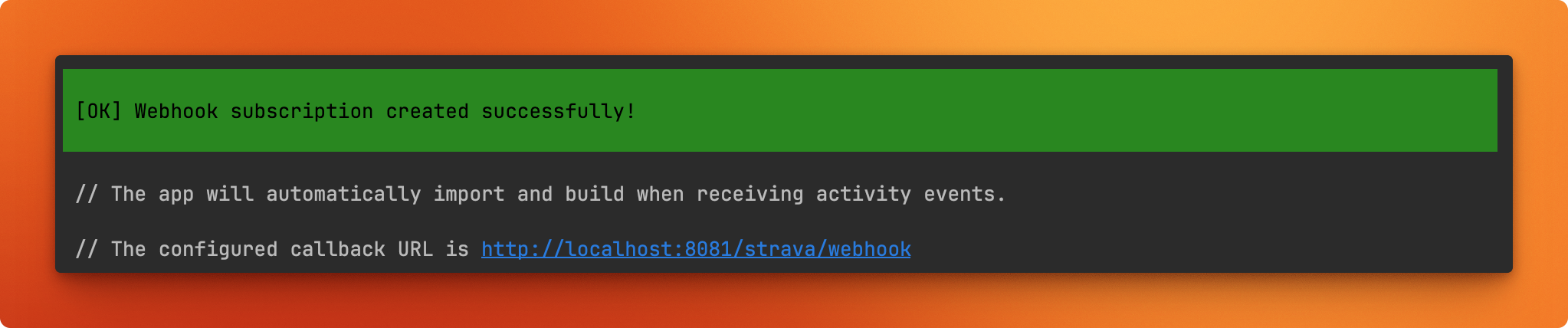
At this point, Strava will begin sending notifications to your Dreeve instance.
All incoming webhooks will be logged to a separate log file located at storage/files/logs
View webhook subscriptions
Section titled “View webhook subscriptions”To see your current webhook subscription:
docker compose exec app bin/console app:strava:webhooks-viewThis should display:

Unsubscribe from webhooks
Section titled “Unsubscribe from webhooks”To delete your webhook subscription and stop receiving notifications, run
docker compose exec app bin/console app:strava:webhooks-delete <subscription-id>Replace <subscription-id> with the ID obtained from app:strava:webhooks-view command.
# View subscriptiondocker compose exec app bin/console app:strava:webhooks-view
# Delete subscription (use the ID from above)docker compose exec app bin/console app:strava:webhooks-delete 123456
Troubleshooting tips
Section titled “Troubleshooting tips”If you get the following error when trying to create a webhook subscription
{ "message": "Bad Request", "errors": [ { "resource": "PushSubscription", "field": "callback url", "code": "not verifiable" } ]}be sure to:
- Check that your Dreeve instance is publicly accessible over the HTTPS
- Check if there is already a subscription registered for your app. Check with
docker compose exec app bin/console app:strava:webhooks-view - Validate that your https://your-instance.com/strava/webhook responds with a 200 status to a validation request within 2 seconds. You can issue a request like the following to test (replace the ‘test’ token value with your configured verifyToken):
curl -X GET 'https://your-instance.com/strava/webhook?hub.verify_token=test&hub.challenge=15f7d1a91c1f40f8a748fd134752feb3&hub.mode=subscribe'If you get the following error when trying to create a webhook subscription
{ "message": "Bad Request", "errors": [ { "resource": "PushSubscription", "field": "callback url", "code": "GET to callback URL does not return 200" } ]}be sure to:
- If hosted on Cloudflare, disable Cloudflare’s Bot Fight Mode (as referenced in the docs, above)
- If running authentication middleware (Authelia, etc.), ensure the URL and request parameters are configured to bypass authentication.