AI assistant
Dreeve ships with an AI-powered workout assistant. To use it, you configure an AI provider under Settings → Integrations.
Configuring an AI provider
Section titled “Configuring an AI provider”To use a cloud-based AI provider you need an API key and the name of the model you want. Configure the key in the
AI_API_KEY environment variable, then pick the provider and enter the model name in the settings.
You can also run a local model using Ollama. Start by configuring a Docker container for Ollama:
services: ollama: image: ollama/ollama:latest container_name: 'dreeve-ollama' tty: true restart: unless-stopped volumes: - .:/code - ./ollama:/root/.ollama environment: - OLLAMA_KEEP_ALIVE=24h - OLLAMA_HOST=0.0.0.0 ports: - '11434:11434' networks: - dreeve-networkNext, download the model you want to use. For example, to run llama3.2:
> docker compose exec ollama ollama pull llama3.2Finally, enable the integration, choose the ollama provider, and set:
- Model: the model you pulled, e.g.
llama3.2. - URL: the Ollama API root, e.g.
http://dreeve-ollama:11434/api. Use the container name when Ollama runs in the same Docker network as Dreeve. The URL must include the scheme and end with/api.
OpenRouter provides access to hundreds of models (OpenAI, Anthropic, Google and more) through a single API key, including free-tier models. This makes it easy to get started or test different models.
To use OpenRouter, pick the openAILike provider under Settings → Integrations and set:
- Base URI:
https://openrouter.ai/api/v1 - Model: e.g.
anthropic/claude-sonnet-4.5. See openrouter.ai/models.
and put your OpenRouter API key in AI_API_KEY in your .env.
Your AI workout assistant
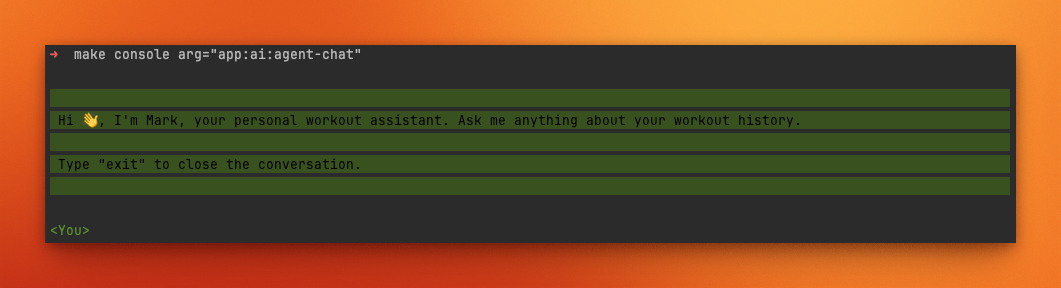
Section titled “Your AI workout assistant”> docker compose exec app bin/console app:ai:agent-chatThis will prompt you with a message like the following:
Pre-defining chat commands
Section titled “Pre-defining chat commands”The app allows you to pre-define chat commands that can be used by the AI assistant. This is useful for questions that might be asked frequently, such as
Please analyze my most recent ride with regard to aspects such as heart rate, power (if available). Please give me an assessment of my performance level and possible improvements for future training sessions?
Each command has a name and the message it expands to. For example:
| Command | Message |
|---|---|
analyse-last-workout | You are my bike trainer. Please analyze my most recent ride with regard to aspects such as heart rate, power (if available). Please give me an assessment of my performance level and possible improvements for future training sessions. |
compare-last-two-weeks | You are my bike trainer. Please compare my workouts and performance of the last 7 days with the 7 days before and give a short assessment. |
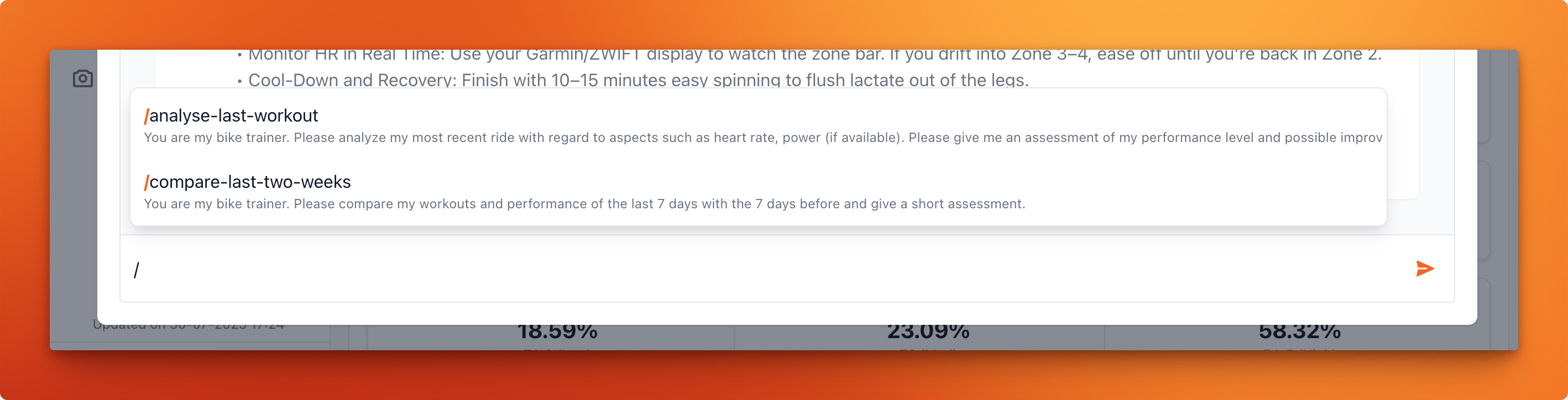
You can then use /analyse-last-workout and /compare-last-two-weeks in your chat with the AI assistant: